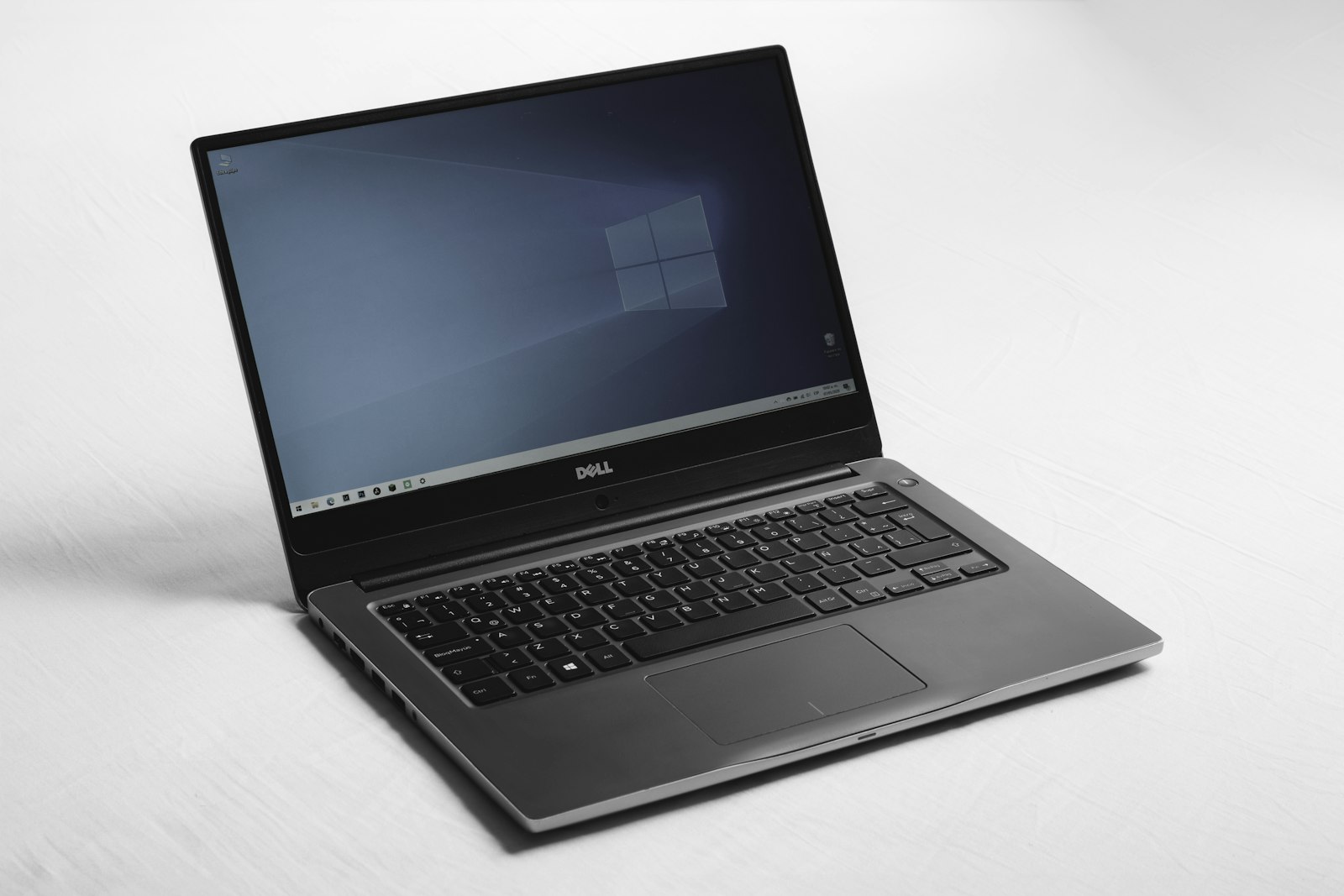
Consumer electronics carry the steepest immediate depreciation curve of any manufactured household goods. The moment a brand-new laptop, tablet, or smartphone exits the retail store, its market value drops by 20% to 30%. Paying full retail price is subsidizing corporate marketing budgets. Knowing the precise operational difference between Certified Refurbished and Open-Box stock is how smart shoppers score like-new tech with full warranty protection.
When consumers hear the word “refurbished,” many mistakenly picture a cracked, dusty computer retrieved from a recycling bin and patched together with cheap generic parts. In reality, the secondary hardware ecosystem is highly stratified.
Major tech conglomerates, corporate lease operators, and national retail chains process hundreds of thousands of returned devices every month. Most of these devices were returned not because of mechanical defects, but due to buyer remorse, minor cosmetic outer box damage during transit, or corporate enterprise refresh cycles.
However, navigating this market requires strict technical literacy. There is a massive operational gulf between a factory-certified refurbished machine backed by a direct manufacturer warranty and an unvetted marketplace listing where a third-party seller merely wiped the chassis with isopropyl alcohol.
By mastering the diagnostic protocols and warranty frameworks governing Certified Refurbished and Open-Box hardware, you can routinely purchase enterprise-grade laptops, 4K displays, and mobile devices at 30% to 50% below retail list prices without sacrificing reliability.
Category A: Certified Refurbished Hardware (The Factory Standard)

Warranty Coverage: 1 to 2 Years Manufacturer or Allstate
Certified Refurbished products represent the gold standard in secondary market tech procurement. When a product earns this classification, it has undergone a rigorous, documented remediation process directly managed either by the Original Equipment Manufacturer (OEM) or an authorized enterprise engineering partner. Faulty components are swapped for genuine OEM parts, mechanical mechanisms are recalibrated, and the device is re-packaged in fresh boxes with genuine power adapters.
1. Apple Certified Refurbished (The Industry Benchmark): Apple maintains what is widely regarded as the most rigorous refurbishment program in consumer electronics. Every returned MacBook, iPad, iPhone, or Apple Watch undergoes complete disassembly, rigorous multi-point functional testing, and intensive acoustic and thermal benchmarking.
Apple automatically installs a brand-new exterior aluminum enclosure and a brand-new lithium-ion battery on all refurbished iOS devices and laptops, completely resetting cosmetic wear and battery cycle counts to zero.
Crucially, every unit ships with original charging bricks and carries the identical 1-year limited manufacturer warranty provided with brand-new retail purchases, including 90 days of complimentary telephone support and the option to add AppleCare+ extended coverage. Typical savings range between 15% and 20% ($200 to $450 off retail MacBook Pro models).
2. Dell Outlet & Lenovo Outlet (Enterprise Workstation Arbitrage): Enterprise corporate leases generate thousands of off-lease business laptops (such as Dell Latitude, Dell Precision workstations, Lenovo ThinkPad T-series, and ThinkPad X1 Carbons). These commercial-grade machines feature magnesium-alloy roll cages, spill-resistant keyboards, and modular internal components designed to last 7 to 10 years.
Both Dell Outlet and Lenovo Outlet sort their inventory into three explicit tiers: Certified Refurbished, Certified Scratch and Dent, and Like-New Overstock. Certified Refurbished units retain the remainder of their original 3-year Next Business Day (NBD) on-site enterprise warranty, delivering 35% to 55% discounts on rugged professional machines that outlast cheap consumer-grade retail plastic laptops.
3. eBay Certified Refurbished Program: Unlike standard eBay marketplace listings, eBay’s official Certified Refurbished portal is restricted exclusively to vetted manufacturers and large-scale authorized refurbishment facilities (including Dyson, Bose, Acer, and Anker). Every item must pass an intensive 140-point inspection, show pristine cosmetic condition with zero visible screen scratches, and ship in fresh packaging.
Most importantly, eBay partners with Allstate to include a mandatory 2-year warranty with $0 deductible on every eligible purchase. This third-party coverage covers mechanical failure, electrical shorts, Wi-Fi module burnout, and battery failure, matching or exceeding typical 1-year new retail warranties.
4. Amazon Renewed vs. Amazon Renewed Premium: Amazon operates a two-tiered refurbishment ecosystem. Standard “Amazon Renewed” items are inspected by third-party suppliers and include a 90-day replacement or refund guarantee, with battery health guaranteed at a minimum of 80% original capacity.
In contrast, “Amazon Renewed Premium” products undergo direct testing by certified facilities, come backed by a full 1-year comprehensive satisfaction guarantee, and guarantee a minimum of 90% original battery capacity with zero visible cosmetic flaws from 12 inches away.
Direct Savings Yield: $250 to $650 saved on flagship workstations and mobile devices
“Brand-new retail packaging is an expensive luxury tax. Buying certified refurbished lets the previous retail buyer absorb the brutal initial 30% depreciation hit while you retain full manufacturer warranty protection.”
Category B: Retail Open-Box Inventory (The Floor Hunt)
Warranty Status: Balance of Original Manufacturer Warranty
Open-Box hardware represents a distinctly different procurement channel than factory refurbished items. Open-box products were sold brand-new at retail and subsequently returned to the store within the merchant’s standard 14 to 30 day return window. The overwhelming majority of these returns stem from benign consumer factors: buyer remorse, impulse holiday gifts, purchasing an incorrect screen size, or discovering a lack of software compatibility.
1. Inspection and Repair Reality: Unlike certified refurbished goods, open-box merchandise has not been shipped back to an engineering factory or rebuilt with new internal parts. Instead, it is evaluated on-site by store personnel or retail technicians (such as Best Buy Geek Squad).
The technician verifies the device boots to the desktop, wipes personal user data via a factory reset, and confirms essential charging cords are present. If you catch a fresh open-box return, you are essentially purchasing a brand-new device that was unboxed for two days, at a 15% to 35% discount.
2. Decoding Best Buy’s Open-Box Grading Taxonomy: Best Buy operates the largest retail open-box channel in North America, categorizing units into four standardized grades:
- Geek Squad Certified Open-Box: The highest tier. Fully tested by Geek Squad, certified to work like new, professionally cleaned, and contains all original accessories and packaging. Qualifies for full original manufacturer warranty.
- Open-Box Excellent: Device looks brand-new with zero scratches, dents, or screen imperfections. May ship in a clean generic brown box with all vital OEM cables included.
- Open-Box Good: Minor superficial cosmetic blemishes (light hairline scratches on the outer lid or bezel). Vital components are included, but minor accessories (like styluses or USB adapters) may be missing and noted on the sticker.
- Open-Box Fair: Noticeable cosmetic wear, deeper scratches, or small chassis dings. The display glass must be functional without cracks, but the device may require you to supply your own third-party USB-C charger.
3. Micro Center and B&H Photo Used Departments: High-end specialty computer retailers like Micro Center and B&H Photo maintain legendary open-box and pre-owned departments. B&H utilizes a precise 10-point condition rating scale (from 10 ‘Pre-Owned Like New’ down to 6 ‘Fair’). PC builders can routinely find open-box motherboards, graphics cards (GPUs), and high-refresh-rate gaming monitors at 25% to 40% below MSRP on Micro Center clearance tables, backed by full in-store 15-day return policies.
Direct Savings Yield: 15% to 35% instant markdown on pristine floor returns
Phase 3: The 48-Hour Diagnostic Stress-Testing SOP
Execution Window: Within Initial 48 Hours of Delivery
The critical vulnerability when purchasing refurbished or open-box tech is failing to detect intermittent hardware flaws before the retailer’s return window closes. Perform this comprehensive 6-point bench audit within 48 hours of unboxing:
1. Lithium Battery Health and Cycle Count Audit: Never trust a seller’s visual assessment of battery condition. On macOS, navigate to Apple Menu ➔ About This Mac ➔ System Report ➔ Power to inspect the exact “Cycle Count” and “Maximum Capacity” percentage.
A certified refurbished Mac should show under 5 cycles; an open-box Mac should show under 25. On Windows laptops, open PowerShell or Command Prompt as Administrator and execute: powercfg /batteryreport. Open the generated HTML file to compare “Full Charge Capacity” against “Design Capacity.” If battery health is below 85%, immediately request an exchange or return.
2. Full-Spectrum Dead Pixel and Backlight Bleed Test: Open an interactive monitor diagnostic tool (such as EIZO Monitor Test or DeadPixelTest.org). Cycle through pure full-screen backgrounds of solid red, green, blue, white, and black. Scrutinize the panel for stuck sub-pixels (showing bright colored dots) or dead pixels (black voids). Turn off ambient room lighting while displaying a pure black screen to detect excessive IPS backlight bleed or edge clouding along the screen borders.
3. CPU/GPU Thermal Stress and Throttling Loop: Intermittent motherboard defects, poor thermal paste application, and damaged heat pipes will not reveal themselves while browsing the web. Download Cinebench or 3DMark and run an intensive 10-minute looping benchmark. Monitor system fan curve ramp-up and verify that internal temperatures stabilize without triggering emergency kernel thermal shutdowns or loud coil whine.
4. Solid-State Drive (SSD) SMART Data and Wear Level: Download CrystalDiskInfo (Windows) or DriveDx (macOS) to read the internal NVMe drive’s SMART diagnostic health data. Check the “Total Host Writes” (TBW) and “Power-On Hours.” If an open-box laptop shows 4,000 power-on hours, it was used as a 24/7 store display model for months and should be returned or negotiated down to a deeper discount.
5. Port Integrity and Physical I/O Verification: Plug known-good peripherals into every physical port on the chassis: each USB-A and USB-C port, Thunderbolt connections, HDMI display out, 3.5mm headphone jack, and SD card reader. Verify high-speed data transfer across every port, as damaged internal solder joints on external ports are a common reason for unrecorded customer returns.
6. Enterprise MDM and Cloud Lock Audit: When buying off-lease enterprise machines (ThinkPads, Dells, or MacBooks), verify that the machine is completely free from Mobile Device Management (MDM) enrollment profiles (such as Jamf, Microsoft Intune, or Computrace LoJack in the BIOS).
Boot the device into fresh setup mode. If an enterprise login prompt appears (“This device is managed by XYZ Corporation”), the previous corporate lease owner failed to de-provision the serial number from Apple Business Manager or Microsoft Autopilot. Contact the seller immediately for a replacement.
Phase 4: Sourcing Channel Comparison Matrix
Risk Profile: Warranty Duration vs. Discount Depth
| Procurement Channel | Average Discount | Warranty Backing | Battery Expectation | Cosmetic Condition | Best Suited For |
|---|---|---|---|---|---|
| Apple Certified Refurbished | 15% – 20% | 1 Year Full AppleCare (AppleCare+ Eligible) | Brand new 100% (0 Cycles) | Pristine (New aluminum outer shell) | MacBooks, iPads, Apple Watches |
| Dell / Lenovo Outlet | 30% – 50% | 1 to 3 Years On-Site Enterprise (NBD) | Tested > 85% capacity | Excellent to minor scratch/dent | Business laptops (ThinkPad, Latitude) |
| Best Buy Open-Box (Excellent) | 15% – 30% | Balance of OEM warranty + 15-day return | Original battery (< 30 cycles typical) | Flawless retail return condition | Current-generation consumer laptops, TVs |
| eBay Certified Refurbished | 30% – 50% | 2 Years Allstate ($0 Deductible) | Guaranteed > 80% capacity | Pristine; zero screen scratches | Dyson vacuums, Bose audio, Acer laptops |
| Amazon Renewed Premium | 25% – 45% | 1 Year Amazon Replacement Guarantee | Guaranteed > 90% capacity | No flaws visible from 12 inches | Unlocked iPhones, Samsung Galaxy phones |
The 3 Red Flags That Turn Tech Bargains into Disasters
Advisory: Immediate Walk-Away
1. ‘Seller Refurbished’ Marketplace Listings Without Third-Party Backing: Beware individual marketplace sellers on Mercari, Facebook Marketplace, or standard eBay listings tagging items as “Refurbished.” In the industry, this is frequently known as a “wipe-down special”—an amateur seller dusted off a machine with glass cleaner and ran a quick software reset without replacing degraded thermal paste or verifying capacitor health. Insist on formal manufacturer certification or backed warranties (Allstate, SquareTrade, or OEM).
2. Aftermarket Displays and Non-OEM Battery Swaps: Unscrupulous third-party refurbishers routinely cut corners by replacing cracked displays with cheap generic aftermarket LCD panels. These counterfeit screens lack True Tone calibration, display washed-out color gamuts, and introduce significant touch input latency. Similarly, uncertified third-party lithium batteries degrade within months and trigger persistent operating system warning notifications (“Unknown Part Detected”).
3. ‘As-Is / Final Sale’ Electronics Liquidators: Never purchase refurbished or open-box hardware from online liquidators or pawn platforms that refuse to offer a minimum 14-day unconditional return window. If a vendor will not back the mechanical integrity of their hardware for two weeks, you are assuming 100% of their warehouse liquidation risk.
JOB TICKET: FIELD PROTOCOL FOR SECONDARY TECH ACQUISITION
Rule 1: Prioritize Apple Certified Refurbished, Dell Outlet, or eBay Certified Refurbished with Allstate 2-year warranty.
Rule 2: Upon unboxing, check serial numbers against manufacturer warranty lookup portals to verify active registration status.
Rule 3: Execute the 48-hour diagnostic battery report, EIZO screen audit, Cinebench thermal stress test, and MDM enrollment check before discarding packaging.
Rule 4: Pay exclusively with a credit card offering purchase protection and extended warranty benefits.
Primary sources and current terms
Use these references to check the relevant rules and provider terms. Product availability, prices, and individual eligibility can change. Illustrative calculations are not guaranteed outcomes.